
Better Foliage Custom Vegetation: Test Modded Leaves and Plant Models
Better Foliage custom vegetation support should be tested block by block. A modded tree may use familiar colors while relying on a completely different model or rendering method. This resource explains how to build a compatibility display, isolate conflicts and decide whether a resource override is practical.
Identify the blocks you want to support
Record names and source mods
Use the information available in your game or modpack to identify each leaf, log and plant. Record the source mod and, where available, its registry identifier. Similar-looking blocks can have different resource names, so appearance alone is not enough for troubleshooting.
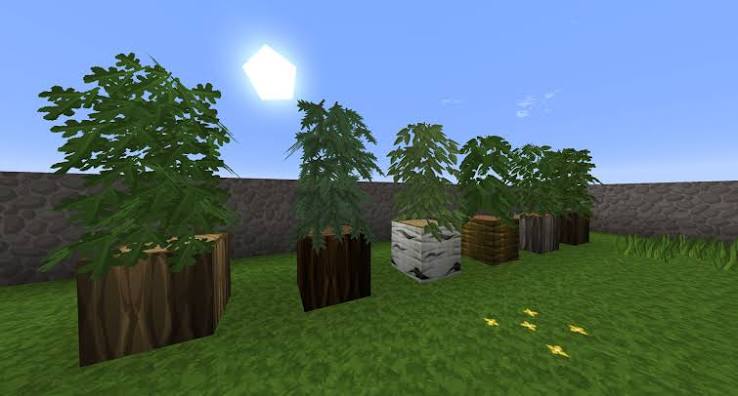
The reference image presents several small plant forms on log blocks. It suggests a useful display layout but does not identify the supplying mod or establish compatibility.
Make a small test garden
Place each block separately, then assemble a miniature tree or plant using its intended parts. Include ordinary vanilla leaves as a control. Leave room between specimens so one model does not obscure another.
Compare three states
Test the vanilla control with foliage enabled. Next inspect the custom plant with foliage enabled. Finally compare that plant without foliage in the same instance copy. This helps distinguish an unsupported enhancement from a model that was already unusual in the source mod.
Separate resource conflicts from missing support
Disable optional packs and repeat the test. If a custom tree works only with one pack enabled, record that dependency. If it changes when pack order changes, investigate which pack supplies the competing blockstate or model.
Do not assume universal automatic detection
Different foliage projects implement compatibility differently. A compatibility list describes the combinations its author has addressed; it does not promise that every block in every vegetation mod will behave identically. Check your specific release rather than generalizing from a screenshot.
Decide whether an override is appropriate
A small resource-pack override may solve a straightforward model conflict, particularly in a resource-based implementation. Match paths and pack format to your game version. Test the isolated display after each file change instead of editing several species together.
Respect the source assets
For private experiments, keep clear notes about copied resources. If you distribute a compatibility pack, check the licenses of the assets you include. A foliage project's license does not automatically grant redistribution rights for another mod's textures.
Prepare a reproducible report
- Exact game, loader and foliage versions.
- Source vegetation mod and the affected block identifiers.
- Enabled resource packs and their priority order.
- Whether the issue occurs without shaders.
- Screenshots of the vanilla control and custom model.
Explain the observed difference
Describe what you actually see: a missing texture, a flat leaf outline, a disappearing model or an inconsistent color. Avoid guessing at the internal cause unless your isolated comparison supports it.
Keep unsupported plants usable
If a custom tree already looks good with its own model, leave it that way. Apply the foliage enhancement only where your setup handles it reliably. A consistent garden can mix compatible enhanced trees with carefully chosen custom plants without requiring every block to share one rendering approach.