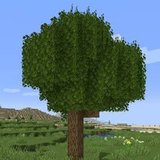

Fuller, bushier leaves
Extra leaf geometry pokes past the block edge, so trees lose the cube look and get soft, irregular crowns.
Better Foliage Mod improves the appearance of vegetation in Minecraft Java Edition, adding fuller leaves, grass tufts, and small environmental details that make landscapes feel more natural. It is designed to complement other visual enhancements, including OptiFine on supported Forge builds and shader packs. Compatibility depends on the mod version and your rendering setup.
The Better Foliage mod is a cosmetic mod for Minecraft: Java Edition, made by octarine_noise and first published in March 2015. It does one job very well: it makes the vegetation in your world look more natural. Leaves stop looking like solid cubes, grass gets real blades and trees get round trunks.
It is 100% client-side. The mod only changes how your own game draws blocks, so it never touches world saves or servers, and the extra leaves and grass can't be interacted with. You can join any server with it installed.
The original mod covers Minecraft versions up to 1.16.5 on Forge, with Fabric builds for 1.14.4–1.16.5. Its last update was 2.7.1 in August 2021. For newer Minecraft, a separate community port called Better Foliage Renewed carries the idea forward on Forge and NeoForge.
Both projects are open source under the MIT licence, which is why you will find the mod inside many modpacks. This website is a fan resource — we are not the author — and every download link points to the official CurseForge file.
“Same blocks, same world — just drawn the way nature should look.”The idea behind Better Foliage
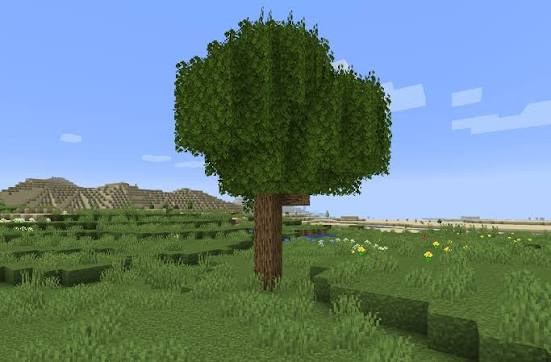
Nine small changes that add up to a completely different-feeling world.
Extra leaf geometry pokes past the block edge, so trees lose the cube look and get soft, irregular crowns.
Short tufts grow on top of grass, snowy grass and mycelium blocks, turning flat fields into real meadows.
Tree trunks render as octagonal columns instead of square pillars, so forests read as wood, not bricks.
Leaves drift down from canopies and sway as they fall, adding gentle motion to every forest.
Cacti get small side arms and an uneven outline, making deserts feel less like rows of green posts.
Lily pads grow roots under the water and sometimes carry small flowers on top.
Reeds appear on dirt in shallow water near rivers, lakes and coasts.
Faint soul particles rise from Soul Sand in the Nether for extra atmosphere.
Every effect is visual only and can be tuned or turned off. Nothing is saved into your world.
Blocks, saves and server data are untouched. A leaf block is still one leaf block.
When your game builds chunk meshes, the mod adds extra quads: leaf puffs, grass blades and octagonal log sides.
The original mod prepares its leaf and grass textures itself; the Renewed port loads its models through resource-pack files instead.
The result is drawn by your graphics card. Remove the mod and everything looks vanilla again — no clean-up needed.
Every popular search, answered honestly. Where a version doesn't exist, we say so and point to what to use instead.
| You searched for | Status | What to use | Needs |
|---|---|---|---|
| Better Foliage 1.12.2 | Exists | Original mod, Forge 1.12.2 build (or the RLFoliage fork) | Forgelin |
| Better Foliage 1.16.5 | Exists | Original 2.7.1 — the file our Download button gets (Forge) | Kotlin for Forge |
| Better Foliage Fabric | Older only | Original Fabric builds for 1.14.4, 1.15.2, 1.16.5 | Fabric API + Fabric Language Kotlin |
| Better Foliage 1.20.1 | Via port | Better Foliage Renewed (Forge/NeoForge) or RLFoliage (Ported) | No extra library (Renewed) |
| Better Foliage NeoForge | Via port | Better Foliage Renewed — NeoForge builds for 1.20.x and 1.21+ | NeoForge only |
| Better Foliage Renewed | Exists | Separate port by EERussianguy, 1.16 → 1.21.1 | Forge or NeoForge |
| Better Foliage Bedrock | Doesn't exist | Java-only mod; Bedrock can't load Java mods | — |
| Better Foliage Texture Pack | Not a pack | It's a mod, not a texture pack — install the mod jar | A mod loader |
| Better Foliage mod logo download | Available | This site's logo files, free to download | — |
Five steps, about five minutes. Shown for the linked Forge 1.16.5 file; other versions work the same way with their own library.
Download the Forge installer for 1.16.5 from the official Forge site, run it and choose “Install client”. Launch that Forge profile once, then close the game.
For Forge 1.16.5 that's Kotlin for Forge. Other versions need a different one — see requirements.
Use our download button (official CurseForge file). Make sure the file name matches your Minecraft and loader version.
Open .minecraft/mods (on Windows: %appdata%\.minecraft\mods). Create the folder if it isn't there. Don't unzip the jar files.
Start the Forge profile and load a world. Open the mod's settings from the Mods menu to switch effects on or off; on Forge 1.14+ the settings screen uses Cloth Config (optional).
The original Better Foliage mod is written in Kotlin, so each version needs a small Kotlin library. Missing it is the number-one reason the game won't start.
Fuller trees and moving leaves make cinematic shots, thumbnails and builds look finished.
Forests and plains feel like places to explore, without changing a single game mechanic.
Custom trees and gardens look organic; grass tufts hide the hard edges of large flat areas.
The MIT licence lets you include the mod in public or private modpacks without asking.
Pairs with shader packs for that “living world” look — trim effects if your FPS drops.
Install it just for yourself; the server and your friends don't need it.
Three projects share the Better Foliage name or code. Here's how they line up.
| Feature | Vanilla | Better Foliage (original) | Better Foliage Renewed | RLFoliage |
|---|---|---|---|---|
| Bushy leaves | No | Yes | Yes | Yes |
| Grass tufts | No | Yes | Yes | Yes |
| Round logs | No | Yes | Not listed | Removed |
| Falling leaves | Newer versions only | Yes | Yes | Yes |
| Minecraft versions | All | Up to 1.16.5 | 1.16 – 1.21.1 | 1.12.2 (1.20.1 via “Ported”) |
| Loaders | — | Forge, Fabric (1.14–1.16) | Forge, NeoForge | Forge |
| Extra library | — | Kotlin library | None | FermiumBooter |
| Server needed? | — | No, client-only | No, client-only | No, client-only |
A beautiful Minecraft setup starts with components that work together. Check the exact mod build, loader, and rendering tools before adding foliage effects to your profile.
Use the file made for your Minecraft Java Edition version and loader. A Forge build cannot be substituted for a Fabric build, and Better Foliage Renewed is a separate project with its own release requirements. Use the version resource to narrow your options.
The original project's compatibility notes list Sodium as unsupported and OptiFine support as Forge-only. Treat these as constraints when choosing a rendering setup; installing more performance mods does not automatically produce a compatible combination.
Shader packs and resource packs shape the final appearance alongside foliage effects. Test your preferred combination in a separate profile: inspect leaf edges, grass shading, and nearby water before committing to a long survival session.
The original mod's effects are cosmetic and client-side, so a server installation is not required. Each player can choose their own foliage presentation while sharing the same world. Follow your server's rules for client mods.
Compatibility notes: original project documentation and Better Foliage Renewed documentation. Check the notes for your exact release.
A launch failure, missing foliage, and uneven frame rate call for different checks. Start with the symptom you can reproduce, make one change, and compare the result in the same profile.
Read the first relevant error in the crash report for a missing library or version mismatch. Confirm that Minecraft, the loader, the mod file, and its required libraries belong to the same release setup. The dependency list provides the next check.
Check that Better Foliage appears in the loaded mod list, then inspect the settings available in your build. Compare a leafy area with effects enabled and disabled. Testing in a fresh profile helps separate a configuration issue from another mod's influence.
Compare performance in the same location before and after enabling foliage. Lower render distance, simplify shader settings, or reduce available foliage effects one at a time. This makes it easier to identify which change improves frame consistency.
Create a separate profile containing the foliage mod and its required libraries. Test it first, then add resource packs, shaders, and other mods gradually. A repeatable failure after one addition gives you useful evidence for a compatibility report.
Include the Minecraft and loader versions, exact mod filenames, relevant crash report, and steps that trigger the issue. For visual problems, add a screenshot and identify the shader or resource pack. Remove personal information from logs before sharing them publicly.
Your Minecraft version sets the baseline; foliage, shaders, and other mods add to the workload. Assess the complete profile rather than relying on a single hardware number.
These are setup guidelines, not a guaranteed FPS target or a mod-specific hardware minimum. Consult the project requirements and your chosen Minecraft release's requirements.
The mod itself is open source and has been downloaded tens of millions of times from CurseForge. The risk comes from where you download it. Follow these rules:
Choose Better Foliage for the experience you want to build. Its strengths suit players who value natural scenery; its trade-offs matter when performance headroom or broad compatibility takes priority.
Start with a compatible profile, test the foliage in places you visit often, and add other visual enhancements gradually. The strongest setup is one whose scenery and responsiveness both suit the way you play.
The same points come up again and again when players talk about the mod.
Forests finally look like forests instead of stacked green boxes.
The grass tufts alone make plains worth exploring again.
Round logs are the change you don't notice until you turn them off.
Great with shaders for screenshots — on a slow laptop, trim the leaf effects.
Remember the Kotlin library — that's the usual reason it won't launch.
Nice that servers don't need it; each player decides for themselves.
On 1.20 and newer, people point you to the Renewed port.
Falling leaves add motion without changing gameplay at all.
Summarised from recurring community feedback themes — not individual reviews.
Better Foliage is a free, open-source Minecraft Java Edition mod created by octarine_noise in 2015. It makes leaves look fuller, adds grass tufts, rounds off logs, drops falling-leaf particles and adds small details to cacti, lily pads, reeds and Soul Sand. It is purely cosmetic.
Yes. Better Foliage only changes how your own game draws the world. Install it in your own mods folder; servers do not need it, and other players do not need it to join you.
No. Better Foliage is a Java Edition mod and cannot run on Bedrock (Windows, console or mobile). Bedrock players can only look for separate resource packs or add-ons from other creators that imitate the look.
Better Foliage focuses on visual details. Its foliage effects enhance the appearance of your world without adding new gameplay systems.
Features include fuller leaves, grass tufts, rounded logs, and falling leaf particles. The available effects depend on the version you install.
Better Foliage is a mod for Minecraft Java Edition. Follow the installation instructions for your chosen mod loader rather than placing it in the resource packs folder.
This separate resource helps Minecraft Java Edition players understand the mod, choose a compatible build, and follow the installation process.
The original Better Foliage covers older releases up to Minecraft 1.16.5, with its last update in August 2021. For 1.17 and newer, use Better Foliage Renewed, a separate MIT-licensed port that supports versions up to 1.21.1 on Forge and NeoForge.
Partly. The original mod has Fabric builds (tagged beta) for 1.14.4, 1.15.2 and 1.16.5 that need Fabric API and Fabric Language Kotlin. Better Foliage Renewed is Forge/NeoForge only and will not get a Fabric port; its author points Fabric players to LambdaBetterGrass for grass effects.
The original mod was built to be compatible with visual mods such as OptiFine and shader packs. Results vary by version and shader pack, so test in a copy of your world first.
Choose a build that matches your Minecraft version and mod loader. Install the required dependencies, place the mod file in that profile's mods folder, and launch the matching profile.
Match all three details: Minecraft version, mod loader, and required dependencies. Check the release notes for the specific file before installing it.
Better Foliage is a client-side visual mod. Install it on your own game; the server and other players do not need it for your visual effects.
Its cosmetic effects are intended to change how the world looks. Back up your saves before changing your mod setup, then check the results in your chosen profile.
The most common cause is a missing library. The original mod is written in Kotlin, so Forge 1.12.2 needs Forgelin, Forge 1.14 needs Kottle and MixinBootstrap, Forge 1.15 needs Kottle, Forge 1.16.5 needs Kotlin for Forge, and Fabric builds need Fabric API plus Fabric Language Kotlin. Also check the jar matches your exact Minecraft and loader version.
It adds extra geometry around leaves and grass, so very low-end PCs may notice a small drop, mostly with shaders on. You can switch individual effects off in the mod's config. The Renewed port's author describes its performance as comparable to vanilla.
Reduce or disable individual foliage effects in the mod configuration. Test one change at a time, especially if you also use shaders or a high render distance.
Confirm that you launched the correct modded profile and that the mod is loaded. Check its settings, dependencies, and version compatibility before testing again.
Use a separate test profile with Better Foliage and its required dependencies. Add other mods back gradually to identify which combination causes the problem.
Include your Minecraft version, mod loader version, Better Foliage build, installed dependencies, and the relevant crash report. Explain what you were doing when the issue occurred.
Close Minecraft, remove the Better Foliage file from the profile's mods folder, and restart the same profile. Keep a backup of your saves when changing your mod setup.