
Better Foliage Troubleshooting: Fix Crashes and Missing Visual Effects
Better Foliage troubleshooting begins by separating a startup failure from a visual problem. A game that will not launch needs a different investigation from a running game with unchanged leaves. Follow the branch that matches your symptom and preserve a working profile before changing files.
If Minecraft fails before the main menu
Read the useful error first
Open the launcher's log or crash report and find the first clear message describing a missing mod, incompatible version or loading failure. Later messages may be consequences of that initial problem. Record the exact filenames involved rather than relying on a screenshot of the final error screen alone.
Check that the foliage jar matches the game and loader, then verify the dependencies listed for that particular file. Remove duplicate versions of the same mod from the test instance. Do not add every Kotlin-related library indiscriminately; the requirement depends on the release.
If the mod is absent from the mod list
Check the active instance directory
Confirm that you launched the profile whose mods folder you edited. Modpack launchers commonly use their own directories. Close the game, use the launcher's folder option, and inspect that instance's files before reinstalling anything.
Also confirm that the loader itself launches correctly. A vanilla profile will not load a mod merely because a jar exists in a nearby folder.
If Minecraft runs but foliage looks unchanged
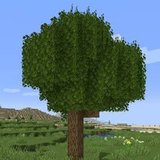
Create a small display using ordinary leaf and grass blocks. Disable optional resource packs and shaders, then compare the same view. If the vanilla control changes but a custom plant does not, investigate that block's compatibility rather than the entire installation.
Check the correct project's controls
The original mod's menu instructions may not apply to Renewed's resource-based models. Identify the installed project before looking for a missing toggle. A model override from another pack can also hide an enhancement without causing a crash.
If rendering becomes incorrect or unstable
Test without shaders first. Then remove optional resource packs one at a time. Finally compare against a minimal duplicate instance containing only the loader, foliage mod and required dependencies.
Reintroduce mods in manageable groups
If the minimal instance works, restore other mods in groups and retest. When a group introduces the failure, split that group into smaller parts. Keep the game version and camera scene fixed so that the comparison remains useful.
If only water-edge details are missing
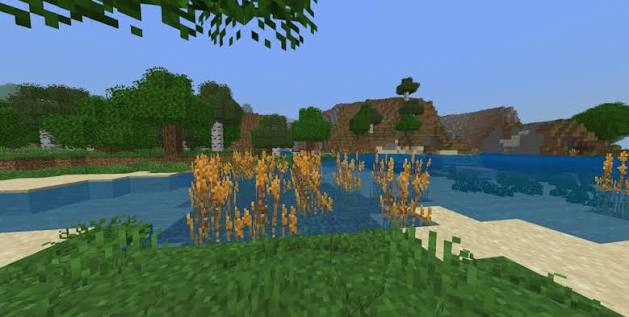
The reference lake contains tall plant shapes, but a screenshot does not identify their source. Check whether the missing detail is an actual placed block, a separate vegetation mod, a resource-pack model or an optional visual effect. Do not assume that installing foliage should reproduce every plant in a promotional scene.
Verify a fix before returning to the main world
Launch the repaired profile twice, inspect the test scene and walk through a dense area. Keep a short record of the change that solved the symptom. If the problem returns after an update, that record provides a specific starting point instead of forcing you to repeat every experiment.