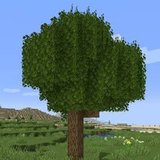

Better Foliage Version Compatibility: Original Mod vs Renewed
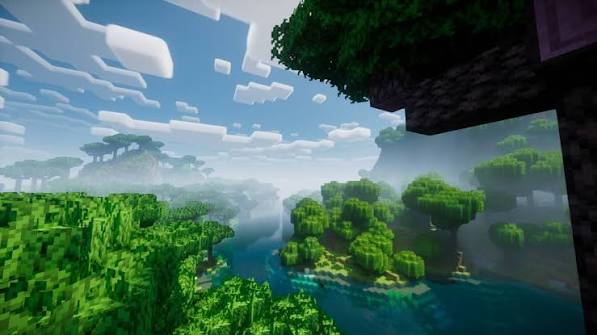
Searching for a Better Foliage version can lead to several projects with similar names. The useful question is whether a particular file supports your exact Minecraft profile. This compatibility resource helps you distinguish the original mod from Renewed and check the details that determine whether a download will actually load.
Identify the project before the version
Original Better Foliage
The original project by octarine_noise has a release history for older Minecraft versions. Its published files include Minecraft 1.16.5, with different Forge and Fabric builds. This does not mean one jar covers every older version, or that it supports a newer game because the filename looks similar.
Better Foliage Renewed
Renewed is a separate port with a different implementation. Its project listing includes Forge and NeoForge, but the loader available for one game version may differ from another. Treat the versions page as a list of specific combinations rather than a promise that every release supports both loaders.
Match four details before downloading
- Minecraft version: compare the complete number with your active profile.
- Mod loader: choose the loader shown on the individual file.
- Dependencies: read the requirements associated with that release.
- Release status: distinguish a stable release from a beta or alpha build.
What the project-level labels do not tell you
A project can list Fabric and Forge because it has separate files for each. Those labels do not make an individual file universal. Similarly, a range on a project overview can hide gaps in available releases. Inspect the file entry that you are about to install.
Understand the Fabric distinction
Original Better Foliage includes Fabric builds for some older releases. Renewed's description says that it will not receive a Fabric port. Do not install Renewed into a Fabric profile on the assumption that both projects share the same loader support.
The Renewed project listing separates supported game versions and platforms. Check the individual version entry there when planning an upgrade.
Decide whether to keep or change your profile
Keep an existing modpack stable
If your world depends on a particular modpack, choose foliage support for that pack's version first. Upgrading the entire game for one cosmetic mod can affect unrelated blocks, world generation and dependencies. Test a duplicate profile before committing to such a change.
Plan a new visual setup
For a new instance, choose the game version based on the complete set of mods you need. Confirm that the foliage project, renderer and shader integration all have compatible releases. Install and test the loader before adding visual extras.
Check compatibility beyond startup
A successful launch does not prove that every custom leaf block receives the intended model. Test vanilla trees, grass and any vegetation mods you use. Then check resource packs and shaders individually. Keep screenshots from the same camera position so you can recognize effects that disappear or change.
When no matching file exists
Do not rename a jar or copy it across loaders. Keep the working game version, choose a supported alternative for that profile, or wait for an explicitly compatible release. A precise version match is more useful than an unsupported promise of universal compatibility.